

 4.8
4.8 Microsoft PowerPoint is a powerhouse in the realm of presentation software, offering an array of features designed to enhance productivity and creativity. Here are some core highlights that truly set it apart:
As a marketing professional, Microsoft PowerPoint has become an indispensable tool in my daily workflow. I often use it to create presentations for client meetings, team updates, and even workshops. One of the most memorable instances was when I had to present a new marketing strategy to my team. I relied on PowerPoint to create a structured flow of information, incorporating visuals and graphs that highlighted key metrics. This not only made my presentation more engaging but also ensured my colleagues could easily follow along.
The user interface of PowerPoint is clean and user-friendly, making it accessible for both beginners and seasoned professionals. The ribbon-style menu organizes features logically, allowing me to find everything I need quickly. The workflow is smooth; I can easily switch between design and presentation modes, making adjustments on the fly. Performance-wise, the app runs seamlessly on my laptop, even with large presentations that contain high-resolution images and videos. Overall, I’ve found using PowerPoint to be a pleasant experience, as it strikes a great balance between functionality and ease of use.
Microsoft PowerPoint is available through various pricing options. You can access it via a standalone purchase or as part of the Microsoft 365 subscription service. The subscription model offers additional benefits, such as regular updates and cloud storage through OneDrive, which is a major plus for users who need to access their presentations from multiple devices. While there are free alternatives out there, the robustness and reliability of PowerPoint make it worth the investment.
Microsoft is proactive in providing updates to PowerPoint, ensuring that users have access to the latest features and security enhancements. The support system is also commendable; I’ve turned to the Microsoft support forums and help documentation several times for troubleshooting. They offer a wealth of resources, including tutorials and community support, which have been invaluable in helping me master the app and resolve any issues swiftly.
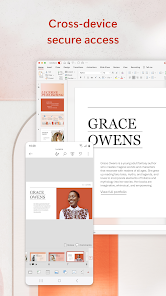
As a user in the United States, I pay close attention to security and privacy when using applications like Microsoft PowerPoint. The app is available on both the App Store and Google Play, which adds a layer of credibility regarding security measures. When it comes to registration, Microsoft does require personal data, including an email address, to create an account. However, they are transparent about how this information is used, primarily for authentication and service enhancements.
Another aspect to consider is that PowerPoint does not display ads, which is a relief for users who want an uninterrupted experience. However, it’s essential to note that Microsoft does engage in tracking behavior to improve its services and user experience, which could raise concerns for some users. Overall, PowerPoint takes security seriously, implementing various measures to protect user data while providing a robust platform for creating presentations.

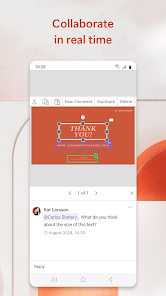
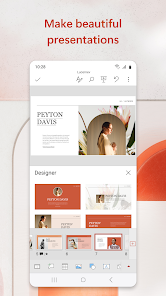
 User-friendly interface simplifies the creation of engaging presentations. Versatile templates save time and enhance visual appeal. Seamless integration with other Microsoft Office apps boosts productivity. Real-time collaboration enables teamwork from anywhere. Extensive multimedia support enriches presentations with videos and images.
 Limited collaboration features can hinder team effectiveness. Over-reliance on templates may stifle creativity. High resource consumption can slow down older devices.
 Yes, users can submit suggestions or feedback to Microsoft PowerPoint App through the app's feedback feature or via the Microsoft support website.
Yes, Microsoft PowerPoint App may collect personal data for account management, personalization, and analytics purposes, but users can manage their privacy settings.
Yes, Microsoft PowerPoint App supports offline use, allowing users to create and edit presentations without an internet connection, although some features may require connectivity.
To cancel a Microsoft PowerPoint App subscription, users can go to their account settings on the Microsoft website or app, navigate to their subscription management section, and follow the cancellation prompts.
The cost of a subscription to Microsoft PowerPoint App typically varies based on the plan chosen, with options for individual, family, and business plans available, starting at a monthly or annual fee.
You can contact Microsoft PowerPoint customer service through the official Microsoft support website or call their support number available in your region.
If you have a product key, open PowerPoint, go to "File," then "Account," and select "Activate Product" to enter your key.
Your customer number is typically found in your purchase confirmation email or within your Microsoft account under subscriptions.
Visit the Microsoft Office website or app, click on "Sign in," and enter your Microsoft account email and password.












 Home
Home  Apps
Apps  Games
Games  Disclaimer
  Privacy & Policy
  Terms of Service
  Google Play
  App Store