




 4.6
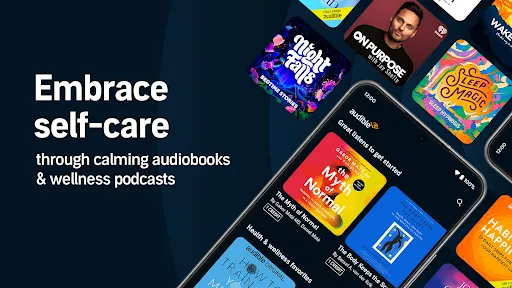
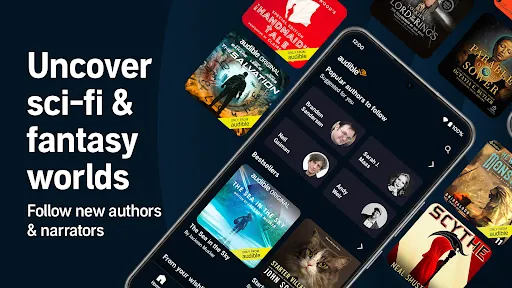
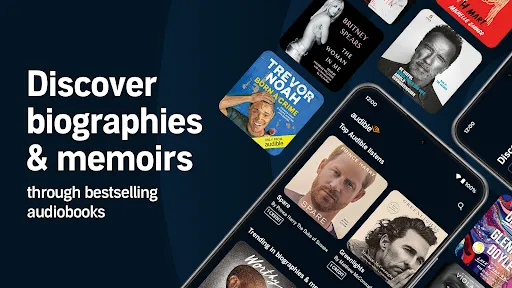
4.6 Audible: Audio Entertainment offers a diverse range of features that cater to the needs of audiobook enthusiasts. One of its standout features is the extensive library, which includes thousands of audiobooks across various genres, from fiction and non-fiction to self-help and podcasts. Users can easily browse and discover new titles through curated lists and personalized recommendations based on their listening habits.
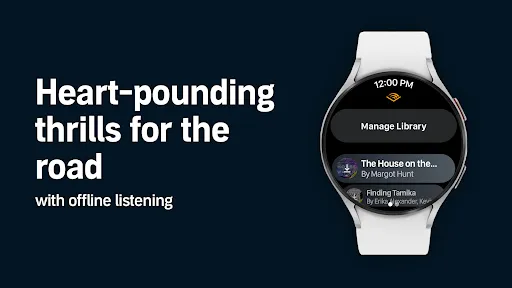
Another notable feature is the ability to download audiobooks for offline listening, allowing users to enjoy their favorite titles without needing an internet connection. The app also includes adjustable playback speed, sleep timers, and bookmarks, enhancing the listening experience. Additionally, Audible provides exclusive content, such as Audible Originals, which are unique audio productions available only to subscribers. The app's user-friendly interface makes navigation seamless, and it is compatible with various devices, including smartphones, tablets, and Amazon Echo devices, ensuring that users can listen anytime, anywhere.
Using Audible: Audio Entertainment is straightforward and user-friendly. First, users need to download the app from their device's app store and create an account. Once registered, they can explore the vast library of audiobooks and podcasts. The app allows users to search for specific titles or browse through categories to find something that piques their interest.
After selecting a title, users can purchase or download it directly to their device. The app also offers a subscription model, which provides credits for monthly audiobook purchases. Once an audiobook is downloaded, users can start listening immediately. The app's features, such as adjustable playback speed and sleep timers, can be accessed during playback to customize the listening experience. Additionally, users can manage their library, track their listening progress, and even share recommendations with friends, making it a comprehensive platform for audio entertainment.
Audible: Audio Entertainment comes with several advantages that make it a popular choice among audiobook lovers. One of the primary pros is its extensive library, which offers a wide variety of titles across different genres, ensuring that there is something for everyone. The app's user-friendly interface and features like offline listening, adjustable playback speed, and bookmarks enhance the overall experience. Furthermore, the subscription model provides excellent value, allowing users to access new content regularly.
However, there are some drawbacks to consider. One con is that while the subscription offers credits for audiobooks, some users may find that the cost can add up if they do not listen to enough titles each month. Additionally, not all audiobooks are available for purchase with credits, which can be frustrating for users looking for specific titles. Lastly, the app may require a stable internet connection for initial downloads, which could be a limitation for those with limited connectivity. Overall, while Audible offers a wealth of content and features, potential users should weigh these pros and cons before committing.

 Enjoy a vast library of audiobooks across various genres. Listen anytime, anywhere, fitting entertainment into your schedule. Engage with compelling narratives narrated by talented voice actors. Enhance your learning with educational content and podcasts. Experience seamless integration with devices for effortless listening.
 Subscription fees can add up over time, impacting your budget. Limited selection of titles may not satisfy all listeners. Audiobooks require time commitment, making multitasking challenging.
  Google Play
  App Store
 Yes, Audible collects personal data as part of its account registration and usage process, which may include information like your name, email address, and listening preferences, in accordance with its privacy policy.
Yes, Audible offers a free trial for new users, allowing them to access a selection of audiobooks and original content for a limited time without any charge.
While an internet connection is required to download titles and stream content, you can listen to downloaded audiobooks offline without an internet connection.
You can contact Audible support through their Help Center on the website, where you can find FAQs, chat with a representative, or submit a request for assistance or feedback.
You can manage or cancel your Audible subscription by logging into your account on the Audible website or app, navigating to the Account Details section, and following the prompts to update or cancel your subscription.
Yes, you can change your email in the account settings section of your Audible profile after logging in.
Customer numbers cannot be updated. If you have issues, contact Audible customer service for assistance.
To activate your Audible account, simply log in with your email and password, then follow the prompts to complete the activation process.
You can reach Audible customer service through the help section on the app or website, or by calling their support number directly.
For activation issues, contact Audible customer service through their help section or call their support line for immediate assistance.












 Home
Home  Apps
Apps  Games
Games  Disclaimer
  Privacy & Policy
  Terms of Service