



 4.6
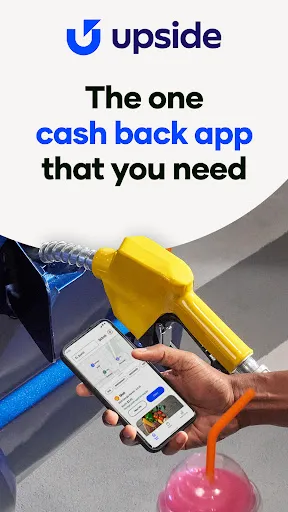
4.6 If you're looking to save money on everyday purchases like gas and food, the Upside: Cash Back - Gas & Food app is a game changer. It offers several key features that make it stand out in the crowded cashback market. Here are some of its core highlights:
As someone who's always on the go, I often find myself looking for ways to save a little extra cash on daily expenses. One of the most frequent scenarios where I utilize the Upside app is during my weekly grocery runs. Before heading out, I check the app for any cashback offers at grocery stores near me. Just last week, I discovered a local supermarket offering 2% cashback on my entire purchase. This small percentage ended up saving me a few dollars, which may not seem like much, but it adds up over time!
Another common scenario is when I'm fueling up my car. I usually fill up at the same gas station, but with Upside, I discovered that another nearby station offered 30 cents back per gallon. I altered my route just a bit, and the savings were immediate. It’s these little tweaks in my routine that have made a significant difference in my overall spending.
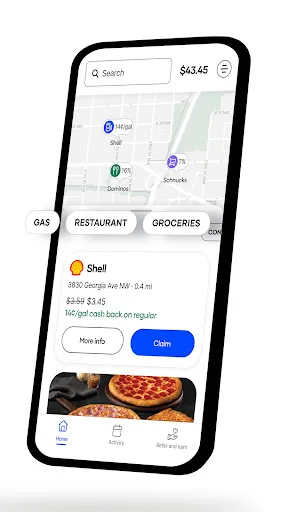
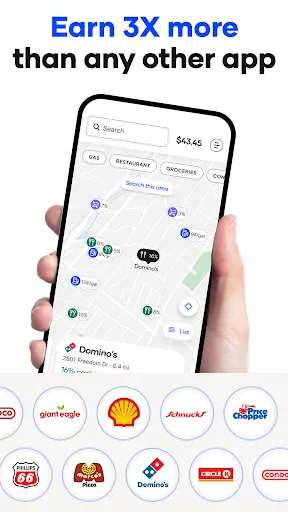
The Upside app boasts a clean and straightforward user interface that makes navigation a breeze. Upon opening the app, I’m greeted with a map displaying nearby cashback offers, which is incredibly helpful. The color scheme is pleasant and the text is easy to read, making the overall user experience enjoyable.
When I want to redeem an offer, the process is seamless. I simply select the offer, navigate to the location, and check in once I arrive. The app generally loads quickly and I haven’t experienced any significant lag, even during peak times. After purchasing, I upload my receipt, and within a short period, my cashback is reflected in my account. Overall, my experience with the app has been positive, and I appreciate how it simplifies saving money.
One of the best aspects of the Upside app is that it is entirely free to use. There are no hidden fees or subscriptions; you simply download the app and start earning cashback. The app does not require you to spend a minimum amount to redeem offers, which is a refreshing change from many other cashback programs. The only investment you make is your time in using the app to find deals, which is well worth the savings you can accumulate.
I’ve noticed that Upside frequently updates its app, introducing new features and improving user experience. The support team is also accessible and responsive. I had a minor issue with a cashback not posting, and after reaching out through the app's support feature, I received a prompt response with a solution. They seem committed to ensuring users have a positive experience, which adds to my overall satisfaction with the app.
As a user in the United States, security and privacy are paramount when it comes to apps like Upside. The app is available on both the App Store and Google Play, which adds an extra layer of trust, knowing it’s been vetted by these platforms.
When registering for the app, I was required to provide basic personal information like my email address and phone number. While this is standard, I appreciate that Upside emphasizes its commitment to protecting user data and has a clear privacy policy in place. I’ve not encountered any invasive ads or unwanted tracking behavior while using the app, which is a relief. Overall, I feel secure using Upside to manage my cashback rewards and would recommend it to anyone looking to save on everyday purchases.

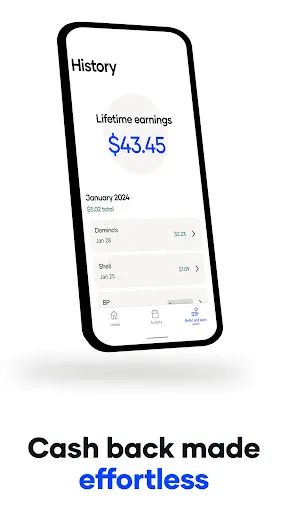
 Earn cash back on everyday gas purchases Save more on dining with cash rewards Easy to use with no complicated sign-ups Enjoy exclusive offers at popular restaurants Track your earnings effortlessly through the app
 Limited participating merchants restrict earning potential Cash back rates may vary by location Requires app usage for tracking rewards Potential fees diminish overall savings
  Google Play
  App Store
 Yes, the app collects certain personal data to provide services, such as location information and purchase history, but it is committed to protecting your privacy and securing your data.
Yes, Upside: Cash Back - Gas & Food offers a free version that allows users to earn cash back without any subscription fees, although premium features may be available for a fee.
Yes, Upside: Cash Back - Gas & Food requires an internet connection to access deals, track transactions, and process cash back rewards effectively.
You can contact support or send feedback through the app's support feature, usually found in the settings or help section, or by visiting the official website for additional contact options.
You can manage or cancel your subscription directly through your account settings within the app or by following the instructions provided in the app’s help section.
You can reach customer service through the app by tapping on the "Help" section or contacting them via their official website.
To activate your account, download the app, create an account using your email, and follow the prompts to confirm your email address.
The customer support number is available in the app under the "Contact Us" section or on the Upside website.
Open the app, enter your registered email and password, then tap "Log In." If you forgot your password, use the "Forgot Password" option.












 Home
Home  Apps
Apps  Games
Games  Disclaimer
  Privacy & Policy
  Terms of Service