



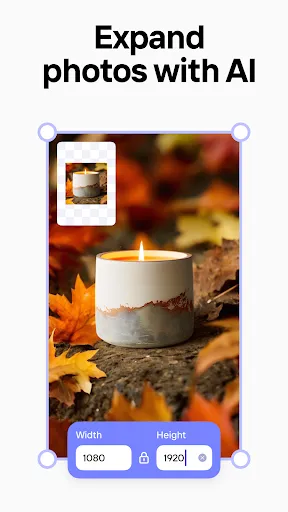


 4.7
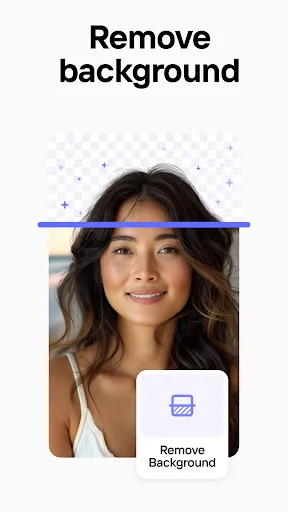
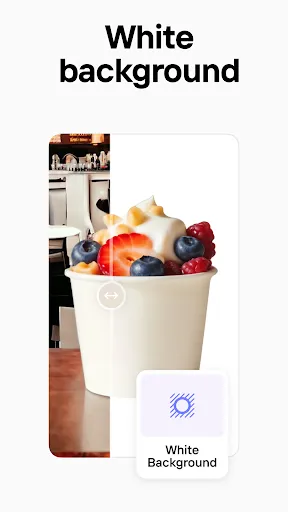
4.7 Photoroom AI Photo Editor is a powerful tool designed to enhance your photography experience. One of its standout features is the automatic background removal, which allows users to isolate subjects effortlessly. This is particularly useful for e-commerce, social media, and marketing purposes, where a clean background can significantly improve the visual appeal of images.
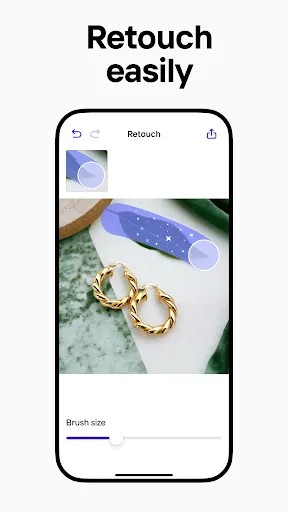
Another notable feature is the extensive library of templates and design elements. Users can choose from a variety of pre-made templates to create stunning visuals for different platforms, including Instagram, Facebook, and more. Additionally, the app offers advanced editing tools such as filters, text overlays, and color adjustments, enabling users to customize their images to perfection.
Photoroom also supports batch processing, allowing users to edit multiple images simultaneously, which saves time and enhances productivity. The user-friendly interface makes it accessible for both beginners and experienced editors, ensuring that anyone can create professional-quality images with ease.
Lastly, the app is available on multiple platforms, including mobile and desktop, making it convenient for users to edit photos on the go or from their home computers.
Using Photoroom AI Photo Editor is a straightforward process that caters to users of all skill levels. To get started, download the app from your preferred app store or access it via the web. Once installed, open the application and create an account or log in if you already have one.
After logging in, you can upload the image you wish to edit. The app will automatically detect the subject and remove the background, allowing you to focus on enhancing the main elements of your photo. You can then explore the various editing tools available, such as filters, text options, and design templates, to customize your image further.
Once you are satisfied with your edits, you can save the image directly to your device or share it on social media platforms. The app also allows for batch processing, so if you have multiple images, you can edit them all at once, streamlining your workflow. Overall, Photoroom makes photo editing accessible and efficient for everyone.
Photoroom AI Photo Editor comes with several advantages that make it a popular choice among users. One of the primary pros is its intuitive interface, which simplifies the editing process, making it easy for beginners to navigate. The automatic background removal feature is another significant benefit, saving users time and effort while producing high-quality results. Additionally, the extensive library of templates and design elements allows for creative flexibility, enabling users to create visually appealing content for various platforms.
However, there are some drawbacks to consider. One potential con is that while the app offers a free version, many advanced features are locked behind a subscription paywall, which may not be ideal for casual users. Furthermore, the app's reliance on AI for background removal may not always yield perfect results, requiring manual adjustments in some cases. Lastly, users may find that the app can be resource-intensive, leading to slower performance on older devices.
In summary, Photoroom AI Photo Editor is a powerful tool with a range of features that cater to both novice and experienced users. While it has its limitations, the benefits often outweigh the drawbacks, making it a valuable asset for anyone looking to enhance their photography.

 Effortlessly remove backgrounds with a single click for professional results. Enhance image quality with advanced editing tools tailored for all skill levels. Quickly create stunning product images for e-commerce or social media use. Save time with automated features, streamlining your photo editing process. Access a user-friendly interface designed for seamless navigation and creativity.
 Limited features compared to more comprehensive photo editing software Occasional inaccuracies in background removal may require manual adjustments Subscription costs can add up for casual users
  Google Play
  App Store
 Yes, users can submit suggestions or feedback through the app's support section or official website, where the development team welcomes input to enhance user experience.
Yes, Photoroom AI Photo Editor may collect personal data as outlined in its privacy policy, which typically includes information such as usage statistics and user feedback to improve the app.
Photoroom AI Photo Editor primarily requires an internet connection to utilize its AI features, although some basic editing tools may be accessible offline.
To cancel your Photoroom AI Photo Editor subscription, you can go to your account settings within the app or through the app store where you purchased the subscription, following the cancellation instructions provided.
The subscription cost for Photoroom AI Photo Editor varies, with options for monthly or annual plans, providing users with access to additional features and tools.
Yes, you can log in to your Photoroom account from multiple devices using the same email and password.
To activate your account, click the link in the activation email we sent you after registration.
You can contact customer service through the support section on our website or via email for assistance.
If you're having a login issue, please email our customer service team with details of the problem for prompt assistance.
To log in, visit the Photoroom website and enter your email and password in the login section.















 Home
Home  Apps
Apps  Games
Games  Topics
  Disclaimer
  Privacy & Policy
  Terms of Service