





 4.4
4.4 As a college student majoring in engineering, I often find myself buried under a mountain of math assignments. One evening, while preparing for a crucial exam, I encountered a particularly challenging calculus problem that left me scratching my head. Instead of spending hours trying to figure it out, I decided to give Mathway a try. I simply scanned the problem with my phone, and within seconds, I had a detailed solution right in front of me. This not only saved me time but also helped me understand the steps involved in solving similar problems.
Another scenario where Mathway proved invaluable was during a group study session. My friends and I were working on a project that required us to solve various statistical problems. With Mathway, we could quickly input our questions and get instant feedback, allowing us to focus on understanding the concepts rather than getting bogged down by tedious calculations.
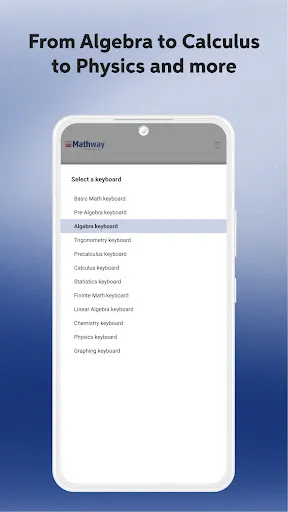
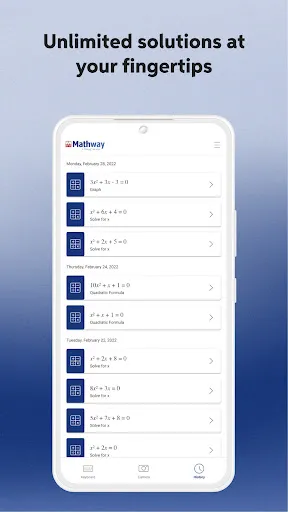
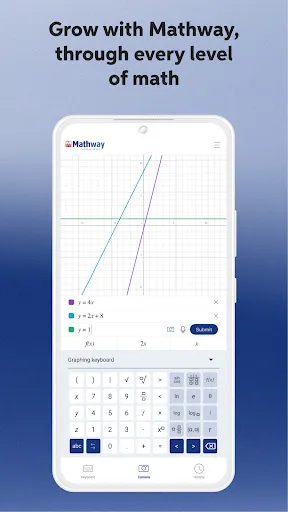
The user interface of Mathway is sleek and straightforward, making it accessible for users of all ages. Upon opening the app, I was greeted with a clean layout that made it easy to navigate through different math topics. The problem input feature is particularly impressive; I could either type in the equation or use the scanning option, which worked flawlessly. The app's performance was smooth, with no lag or crashes, even when processing complex equations.
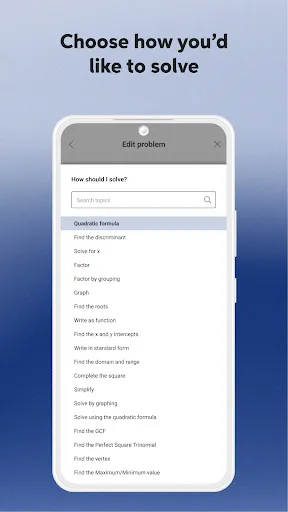
One of my favorite aspects of Mathway is the detailed explanations provided for each solution. After scanning a problem, I was not only given the answer but also a step-by-step breakdown of how to arrive at that answer. This feature significantly enhanced my learning experience, as I could see where I went wrong in my calculations and learn from my mistakes. Overall, my experience with Mathway has been overwhelmingly positive, and I feel more confident tackling math problems thanks to this app.
Mathway offers a free version that allows users to scan and solve problems, but to access the detailed explanations and step-by-step solutions, a subscription is required. The pricing is quite reasonable, with options for monthly or annual subscriptions. I found the investment worthwhile, especially considering the amount of time and stress it saves me during exam preparation and homework assignments.
The developers of Mathway are committed to providing regular updates to enhance user experience and expand the app's capabilities. I’ve noticed improvements in the scanning feature and the addition of new math topics over time. Customer support is also readily available, with a responsive team that addresses any issues or questions I’ve had. This level of support gives me confidence in the app's reliability and effectiveness.
As an American user, I always prioritize security and privacy when using apps, and Mathway does not disappoint. The app is available on both the App Store and Google Play, ensuring that it meets the necessary security standards for mobile applications. Registration is straightforward, requiring only basic personal information, which is a relief compared to many other apps that demand extensive data.
Mathway does not bombard users with ads, which is a significant plus in my book. Additionally, I appreciate that the app does not engage in excessive tracking behavior, allowing me to use it without worrying about my data being sold or misused. Overall, I feel secure using Mathway, knowing that my personal information is protected while I focus on improving my math skills.

 Instantly scan math problems using your device's camera for quick solutions. Access step-by-step explanations to enhance understanding and learning. Supports a wide range of math topics from basic to advanced levels. User-friendly interface makes problem-solving intuitive and efficient. Available anytime, helping you tackle homework and study challenges on the go.
 Limited explanations may leave users confused about problem-solving methods. The app can struggle with complex problems, offering inaccurate solutions. Subscription costs can be a barrier for some users seeking help.
  Google Play
  App Store
 Yes, users can submit suggestions or feedback through the app's support or contact section, allowing the developers to consider user input for future updates and improvements.
Yes, Mathway: Scan & Solve Problems may collect personal data in accordance with its privacy policy, including information used for account creation and app functionality.
Mathway: Scan & Solve Problems typically requires an internet connection to provide solutions, as it relies on cloud-based processing for problem solving. However, some features may be available offline.
To cancel your subscription, you can go to your account settings within the app or through the app store where you purchased the subscription, following the cancellation instructions provided.
The subscription cost for Mathway: Scan & Solve Problems varies depending on the plan chosen, typically ranging from a monthly to an annual subscription. Pricing details can be found within the app.
Yes, you can log in to your Mathway account from multiple devices as long as you have your login credentials.
Yes, Mathway allows you to log in using your Google or Facebook account if you registered that way.
Your customer number can be found in your account settings or in the confirmation email you received upon registration.
You can log in by entering your email and password on the Mathway homepage or app. If you forgot your password, use the "Forgot Password" link.
To reactivate your account, log in using your previous credentials or contact customer service for further help.















 Home
Home  Apps
Apps  Games
Games  Disclaimer
  Privacy & Policy
  Terms of Service