

 4.2
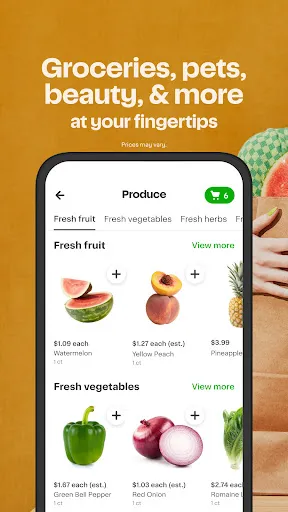
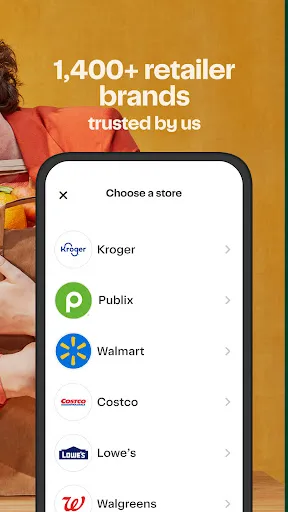
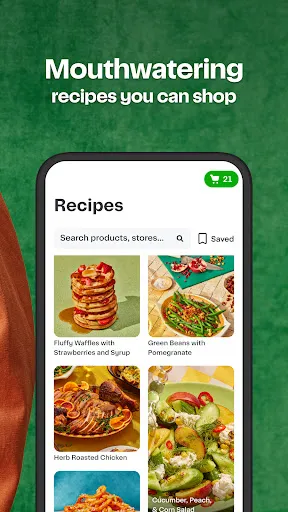
4.2 Instacart: Get Food Delivery offers a variety of features designed to enhance the grocery shopping experience. One of its primary features is the ability to shop from multiple local grocery stores, allowing users to compare prices and product availability in real-time. The app provides a user-friendly interface that makes it easy to browse through categories, search for specific items, and create shopping lists.
Another notable feature is the same-day delivery option, which allows customers to receive their groceries within hours of placing an order. Users can also schedule deliveries at their convenience, making it easier to fit grocery shopping into their busy lives. Additionally, Instacart offers personalized recommendations based on previous purchases, helping users discover new products that align with their preferences.
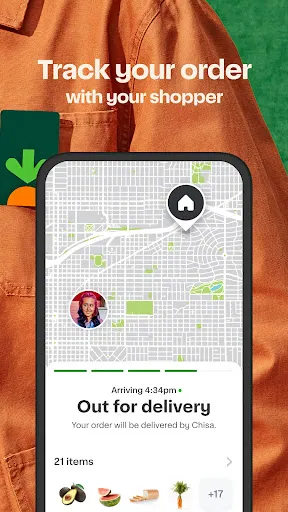
Instacart also includes a secure payment system, ensuring that transactions are safe and straightforward. Customers can track their orders in real-time, receiving updates on delivery status. Furthermore, the app supports various dietary preferences, allowing users to filter products based on specific needs, such as gluten-free or organic options.
Using Instacart: Get Food Delivery is a straightforward process that begins with downloading the app or visiting the website. After creating an account, users can enter their zip code to see a list of available grocery stores in their area. Once the store is selected, users can browse through the extensive catalog of products, adding items to their virtual cart as they go.
After completing the shopping list, users can review their cart, adjust quantities, and apply any available discounts or promotions. The app provides a summary of the total cost, including delivery fees, before proceeding to checkout. Users can choose their preferred delivery time, whether it’s same-day or scheduled for a later date.
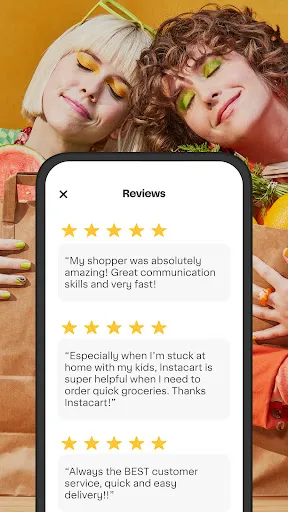
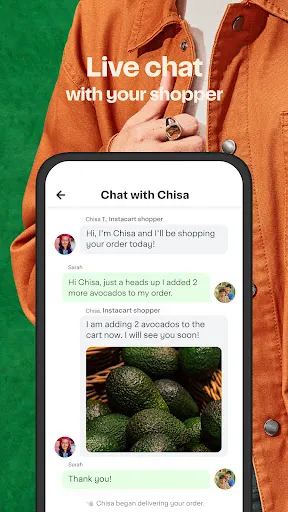
Once the order is placed, customers can track their delivery in real-time. Instacart also allows users to communicate with their personal shopper, who can provide updates or substitute items if necessary. Finally, after receiving the order, users can rate their experience and provide feedback, helping to improve future services.
Instacart: Get Food Delivery comes with several advantages that make it a popular choice among users. One of the main pros is the convenience it offers, allowing customers to shop from the comfort of their homes without the need to visit multiple stores. The app's user-friendly interface and real-time updates enhance the overall shopping experience. Additionally, the ability to compare prices across different stores can lead to savings on grocery bills.
However, there are also some drawbacks to consider. One of the cons is the delivery fee, which can add up, especially for smaller orders. Some users have reported issues with product substitutions or the quality of fresh items, which can be a concern for those who prioritize quality. Furthermore, while Instacart offers a wide selection of stores, availability may vary by location, limiting options for some users.
In summary, while Instacart provides a convenient and efficient way to shop for groceries, potential users should weigh the pros and cons to determine if it meets their specific needs and preferences.

 Convenient grocery shopping from the comfort of your home. Variety of stores and products to choose from. Same-day delivery options for urgent needs. User-friendly app for easy order management. Flexible delivery times to fit your schedule.
 High delivery fees can increase overall grocery costs. Limited availability of certain items may lead to substitutions. Delivery timing can be inconsistent, causing potential delays in receiving orders.
  Google Play
  App Store
 Yes, Instacart: Get Food Delivery collects personal information such as your name, address, payment details, and shopping preferences to facilitate orders and improve service.
Instacart: Get Food Delivery does not offer a free version, but new users may have access to promotions or discounts for their first orders.
Yes, Instacart: Get Food Delivery requires a stable internet connection to browse items, place orders, and communicate with personal shoppers.
You can contact support or send feedback through the help section of the Instacart app or website, where you can find options to chat with customer service or submit inquiries.
You can manage or cancel your Instacart: Get Food Delivery subscription through your account settings in the app or website, where you can find options to update billing information or cancel the service.
Yes, you can change your customer number by contacting customer service for help with updating your account information.
Yes, you can log in to your Instacart account from multiple devices using the same credentials.
You can reach customer service by calling the customer number listed on the Instacart website or through the app's help section.
To report delivery issues, use the customer number provided in the app or on the website to reach customer service.
If you can’t remember your email, try using your phone number. If that doesn't work, contact customer service for further assistance.














 Home
Home  Apps
Apps  Games
Games  Disclaimer
  Privacy & Policy
  Terms of Service