




 3.8
3.8 As a frequent traveler and commuter, I often find myself on the road, and that’s where GasBuddy comes into play. Whether I am on a long-distance trip, heading to work, or just running errands, the app is my go-to assistant for finding the best gas prices. For example, on a recent trip to visit family, I downloaded the app before hitting the road. It helped me locate affordable gas stations along my route, ensuring that I didn’t have to pay premium prices in unfamiliar areas. Additionally, on busy weekdays when I’m rushing to get to the office, I quickly check GasBuddy to pinpoint the closest gas station with the lowest prices before I start my day.
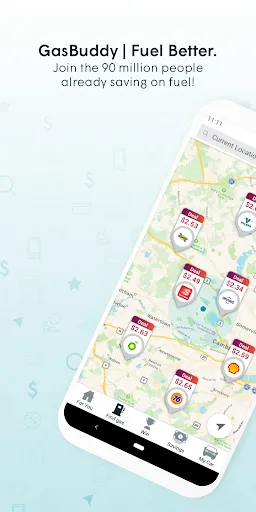
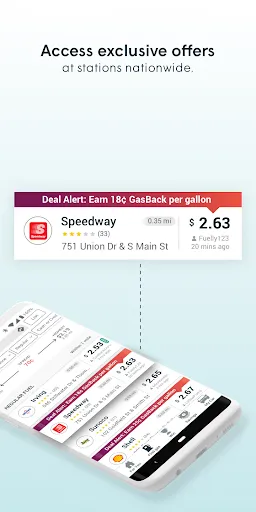
My experience with GasBuddy’s user interface has been overwhelmingly positive. The app is intuitively designed, making navigation incredibly easy even for first-time users. Upon opening the app, I am greeted with a clean and straightforward layout that presents nearby gas stations and their prices at a glance. The workflow is seamless; I can quickly tap on a gas station to see more details, including user reviews and directions. Performance-wise, the app runs smoothly without any lag or crashes, which is crucial when I’m in a hurry. Overall, using GasBuddy feels like having a reliable friend in the passenger seat, always ready to help me save money and time.
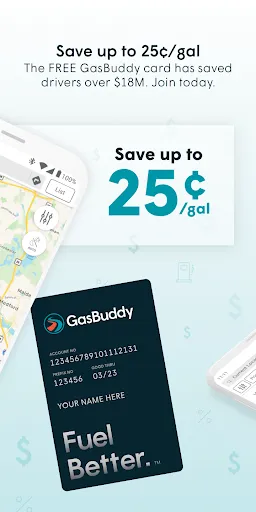
GasBuddy itself is free to download and use, which is a significant advantage. While I don’t mind occasional ads, they are relatively unobtrusive, allowing me to focus on finding the best gas prices. Additionally, the app offers a premium subscription called GasBuddy Premium, which costs around $9.99 per month or $99.99 per year. This subscription provides users with additional perks such as ad-free browsing, exclusive discounts, and enhanced rewards. However, I find that the free version meets all my needs perfectly.
GasBuddy frequently updates its app to improve functionality and user experience. I’ve noticed several enhancements over the months, such as quicker loading times and new features like the Trip Cost Calculator. The support team is also quite responsive; when I had a question about my rewards points, I received a detailed reply within a day. The app also provides a helpful FAQ section that addresses common user concerns, making it easy to find answers without needing to contact support directly.
As a user, I’m always conscious of security and privacy when using apps that require personal information. GasBuddy is available on both the App Store and Google Play, ensuring that it meets the security standards set by these platforms. When registering for the app, I was asked for minimal personal data, which I appreciated. The app primarily focuses on my location and gas purchases, which are standard for this type of service. Regarding ads and tracking behavior, GasBuddy does display targeted advertisements, but they are not overly intrusive. Overall, I feel secure using the app, knowing that my information is kept relatively private and protected.

 Discover nearby gas prices easily Save money with real-time price comparisons Locate gas stations with convenient payment options Receive rewards for fueling up through the app Plan routes to minimize fuel expenses efficiently
 Inaccurate gas price listings can mislead users Limited availability in rural areas restricts functionality App may have occasional performance issues or crashes User interface can be confusing for new users
  Google Play
  App Store
 GasBuddy: Find & Pay for Gas may collect certain personal data to enhance user experience, including location data and payment information, but it adheres to privacy policies to protect user information.
GasBuddy: Find & Pay for Gas offers a free version that allows users to access many features, while also providing premium subscription options with additional benefits.
Yes, GasBuddy: Find & Pay for Gas requires an internet connection to function properly, as it relies on real-time data to provide users with updated gas prices and location services.
You can contact GasBuddy support or send feedback through the app's help section, or by visiting their official website where you can find additional contact options.
You can manage or cancel your GasBuddy: Find & Pay for Gas subscription through the account settings within the app or by visiting the subscription management section of your app store.
You can reach GasBuddy customer service through the app or their website under the "Help" section for support options.
The customer number is typically available in the app’s settings or help section, or you can reach out via their website for assistance.
Open the app and click on 'Log In'. Enter your email and password. If you don't have an account, you can sign up directly through the app.
Accounts are activated upon registration. If you experience issues, check your email for a confirmation link or contact support for help.















 Home
Home  Apps
Apps  Games
Games  Disclaimer
  Privacy & Policy
  Terms of Service