

 4.8
4.8 The eero WiFi system is designed to provide seamless internet coverage throughout your home. One of its standout features is the mesh networking technology, which allows multiple eero devices to work together to eliminate dead zones and ensure a strong signal in every corner of your space. This system is particularly beneficial for larger homes or those with multiple floors, as it can easily be expanded by adding more eero units.
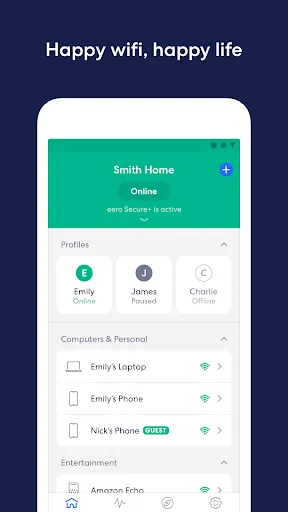
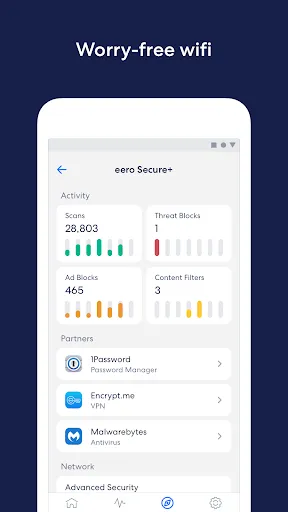
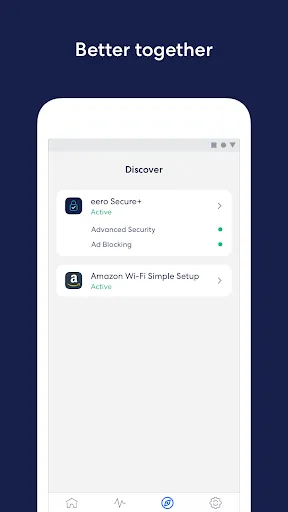
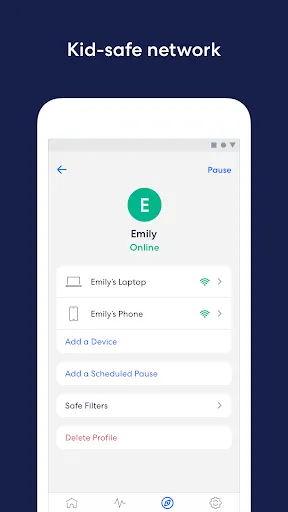
Another notable feature is the eero app, which offers an intuitive interface for managing your network. Users can easily set up their eero devices, monitor connected devices, and even pause internet access for specific devices when needed. Additionally, the eero system includes advanced security features, such as automatic updates and built-in encryption, to help protect your network from potential threats. With support for both 2.4 GHz and 5 GHz bands, the eero WiFi system optimizes performance based on your devices' needs, ensuring a reliable and fast internet experience.
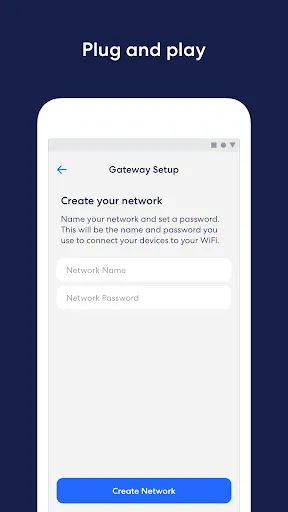
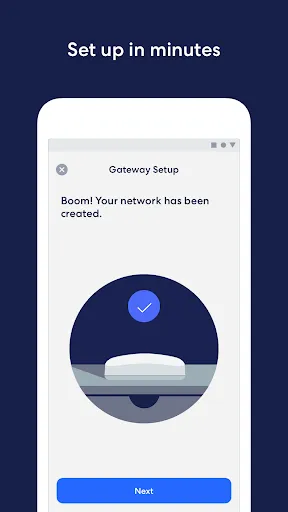
Setting up the eero WiFi system is a straightforward process that can be completed in just a few steps. First, download the eero app from the App Store or Google Play. Once installed, create an account or log in if you already have one. The app will guide you through the setup process, which involves connecting your eero device to your modem using an Ethernet cable.
After connecting the eero to your modem, plug it into a power source and wait for the LED light to indicate that it is ready. The app will then prompt you to add additional eero units if you have them, allowing you to place them strategically around your home for optimal coverage. Once all devices are set up, you can customize your network settings, including WiFi name and password. The app also allows you to manage connected devices, set parental controls, and monitor network performance, making it easy to maintain a secure and efficient home network.
The eero app offers several advantages that enhance the user experience. One of the primary benefits is its user-friendly interface, which simplifies the process of managing your home network. Users can easily monitor connected devices, adjust settings, and troubleshoot issues without needing advanced technical knowledge. Additionally, the app provides real-time notifications about network performance and security updates, ensuring that users stay informed about their internet health.
However, there are some drawbacks to consider. One potential downside is that the eero app requires an internet connection to function fully, which can be inconvenient if your network goes down. Furthermore, while the app offers robust features, some users may find the subscription model for advanced security features to be an added expense. Overall, while the eero app significantly enhances the usability of the eero WiFi system, it may not be suitable for everyone, particularly those who prefer a more traditional approach to network management.

 eero provides seamless coverage throughout your entire home, eliminating dead zones. Easy setup and management through a user-friendly mobile app for all users. Automatic updates ensure your network is secure and up-to-date with the latest features. Supports multiple devices simultaneously without sacrificing speed or performance. Customizable parental controls help manage internet access for children effectively.
 Limited advanced features compared to competitors, restricting customization options. Signal strength can diminish in larger homes, affecting coverage. Higher price point may not justify performance for some users.
  Google Play
  App Store
 Yes, users can submit suggestions or feedback through the app or by contacting eero support directly.
Yes, the eero wifi system may collect certain personal data to improve services and provide a better user experience, but it adheres to privacy regulations.
The eero wifi system app requires an internet connection to perform most functions, but some features may be accessible offline once set up.
You can cancel your eero wifi system subscription through the app settings or by contacting eero customer support for assistance.
The subscription to the eero wifi system typically costs around $2.99 per month or $29.99 per year, depending on the plan selected.
Yes, you can chat with customer service directly within the eero app for support.
Yes, eero customer service is available to assist you with any connectivity problems you may have.
You can reach eero customer service through the app or their website for assistance.
Your customer number can be located in the app under your account profile.
Open the eero app and enter your email and password to log in.













 Home
Home  Apps
Apps  Games
Games  Disclaimer
  Privacy & Policy
  Terms of Service