



 4.1
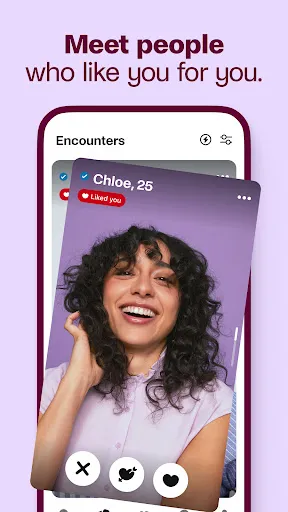
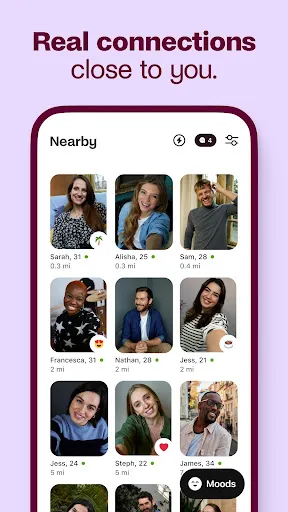
4.1 Badoo is a popular dating app designed to help users connect with new people in their area. One of its standout features is the "Encounters" game, which allows users to swipe through profiles and express interest in potential matches. If both users like each other, they can start chatting. The app also includes a "People Nearby" feature, which shows users who are currently in their vicinity, making it easier to meet up in real life.
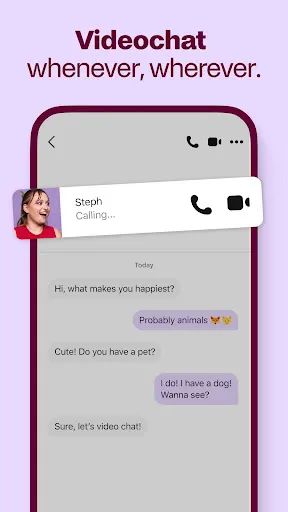
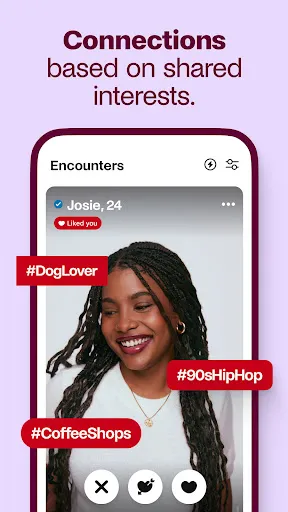
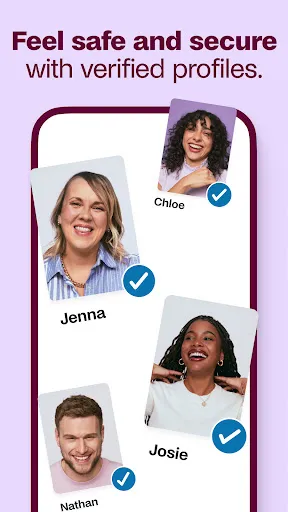
Another notable feature is the ability to verify profiles, which helps ensure that users are genuine and reduces the likelihood of encountering fake accounts. Badoo also offers a chat function that includes video calls, allowing users to engage in more personal conversations before meeting in person. Additionally, users can upload photos and share their interests, making it easier to find compatible matches based on shared hobbies and preferences.
For those looking for a more enhanced experience, Badoo provides premium features such as seeing who has liked your profile and the ability to browse anonymously. Overall, Badoo combines a variety of interactive features to create a dynamic dating experience tailored to individual preferences.
Using the Badoo Dating App is straightforward and user-friendly. First, download the app from your device's app store and create an account. You can sign up using your email, phone number, or social media accounts. Once registered, complete your profile by adding photos and a brief bio that highlights your interests and what you’re looking for in a match.
After setting up your profile, you can start exploring potential matches. Use the "Encounters" feature to swipe through profiles, indicating your interest by liking or passing on users. If two users like each other, they can initiate a chat. You can also use the "People Nearby" feature to find users in your vicinity, making it easier to arrange meet-ups.
Engage in conversations through the chat function, which includes options for sending photos and video calls. To enhance your experience, consider exploring premium features that allow you to see who has liked you and browse profiles anonymously. Regularly update your profile and interact with other users to increase your chances of finding a match.
Badoo Dating App offers several advantages that make it appealing to users. One of the main pros is its large user base, which increases the chances of finding a match. The app's interactive features, such as "Encounters" and "People Nearby," make it engaging and fun to use. Additionally, the profile verification process helps enhance safety by reducing the number of fake accounts, allowing users to connect with genuine individuals.
However, there are also some drawbacks to consider. One of the cons is that the app is ad-supported, which can lead to interruptions during use. Some users may also find that the free version lacks certain features, prompting them to consider a premium subscription for a better experience. Additionally, while the app is designed to facilitate connections, some users may encounter individuals who are not serious about dating, leading to potential frustrations.
In summary, Badoo offers a mix of engaging features and a large community, but users should be aware of the potential downsides, such as ads and the need for premium features to unlock the full experience.

 Connect with a diverse community of singles from around the world. Enjoy a user-friendly interface that makes browsing profiles easy. Utilize advanced filters to find matches that suit your preferences. Engage in real-time chat to foster instant connections and conversations. Access unique features like video calls for a more personal experience.
 Limited user verification can lead to fake profiles and scams Messaging features often require a paid subscription for full access The app's interface can be cluttered and confusing for new users
  Google Play
  App Store
 Yes, Badoo collects personal data such as your name, email address, location, and other profile details to provide its services and enhance user experience.
Badoo offers a free version that allows users to access many features, but there are also premium options available for enhanced functionality.
Yes, an active internet connection is required to use Badoo, as it relies on online connectivity to access profiles, messages, and other features.
You can reach Badoo support through the app's help section or by visiting their official website, where you can submit inquiries or feedback.
You can manage or cancel your subscription through the app's settings under the "Subscription" section or through the app store where you purchased the subscription.
If you can't log in, use the password recovery option. If that doesn't work, contact customer service for assistance with account recovery.
You can reach Badoo customer service through the app's help section or by visiting their website for support options.
Click on the "Forgot password?" link on the login page. Follow the instructions to reset your password and log in.
To activate your account, follow the verification link sent to your email or phone. If you need help, contact customer service.
To change your login email, go to your account settings in the app. If you encounter issues, contact customer service for help.















 Home
Home  Apps
Apps  Games
Games  Disclaimer
  Privacy & Policy
  Terms of Service