 3.9
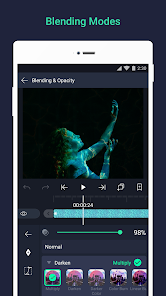
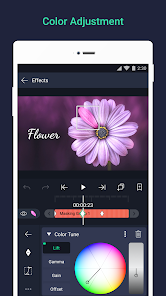
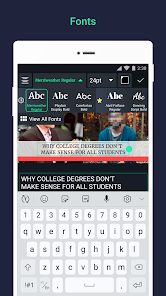
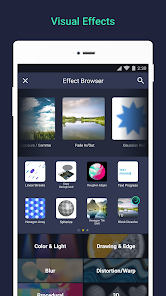
3.9 Alight Motion is an incredibly versatile video editing app that caters to both beginners and seasoned editors. Its user-friendly interface combined with powerful features makes it a go-to tool for anyone looking to create stunning motion graphics and videos. Here are some standout features that truly enhance your editing experience:
As a content creator, I often find myself needing to produce engaging videos for my social media channels. Alight Motion has become my trusty companion in this endeavor. Whether I’m crafting quick Instagram reels or more elaborate YouTube content, the app fits perfectly into my workflow. Just last week, I needed to whip up a promotional video for an upcoming event. I was able to compile various clips from different sources, add animated text, and layer in some slick transitions, all in a matter of hours. The app’s versatility means I can easily adapt my editing style to suit different platforms and audiences.
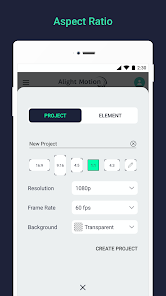
The user interface of Alight Motion is one of its strongest features. Upon launching the app, I was greeted with a clean and intuitive layout that made navigation a breeze. The workflow is straightforward; you can import media, edit timelines, and apply effects without feeling overwhelmed. Each feature is neatly categorized, and I appreciated the tutorial prompts that guide you through more complex functions. Performance-wise, the app runs smoothly on my device, with minimal lag or crashes, even when working with high-resolution footage. Overall, my experience has been overwhelmingly positive; I feel empowered to unleash my creativity without being hindered by the app's performance.
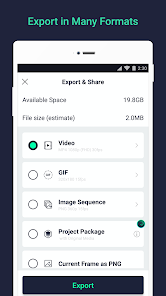
Alight Motion offers a free version that includes many of its core features, which is perfect for those just starting out. However, for users like me who want to access the full suite of tools and remove watermarks, the subscription plan is very reasonable. The premium version unlocks additional effects, advanced features, and allows for higher export quality, making it worth the investment for serious creators.
The developers behind Alight Motion are proactive in rolling out updates, which often include new features and effects based on user feedback. I've noticed improvements in performance and the addition of new visual effects that keep my editing experience fresh. Customer support is also commendable; I once reached out with a query, and their response was prompt and helpful, which reassured me that I was using a well-supported app.
As a user in the U.S., security and privacy are paramount when choosing an app like Alight Motion. The app can be downloaded safely from official sources, such as the App Store and Google Play, which adds a layer of trustworthiness. Registration is straightforward; however, the app does ask for some personal data, though it’s not excessively intrusive. I appreciated that I could use the app without signing up for an account right away, allowing me to explore its features first. Additionally, while there are ads present in the free version, they are not overly disruptive. Alight Motion also does not engage in aggressive tracking behavior, which is a significant relief for users concerned about privacy. Overall, I feel secure using this app, knowing my data is handled responsibly.

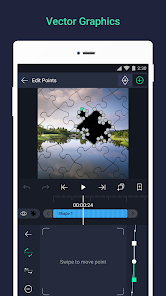
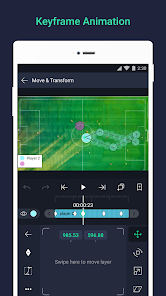
 User-friendly interface for easy navigation and editing Powerful motion graphics tools for stunning animations Supports multi-layer editing for complex projects Wide range of effects and filters for customization Regular updates ensure new features and improvements
 Limited features in the free version Performance issues on older devices Steep learning curve for beginners Occasional bugs and crashes during use
 Alight Motion may collect certain data for functionality and improvement purposes, but it adheres to privacy policies to protect users' personal information.
Yes, Alight Motion offers a free version with limited features, allowing users to explore the app before deciding to purchase a subscription for additional functionalities.
Alight Motion can be used offline for most features, but some functionalities, such as downloading assets or accessing the community, may require an internet connection.
Users can contact Alight Motion's support team through the app's help section or visit their official website for additional support and feedback options.
Users can manage or cancel their subscription through the app store where they purchased the subscription, whether it be Google Play or the Apple App Store.
Yes, you can access Alight Motion on multiple devices, but ensure you log in with the same account for continuity.
You can contact Alight Motion customer service through the in-app help feature or visit their official website for support options.
To cancel, go to your device's subscription settings and manage your subscriptions from there.
To log in, open the app, tap on the profile icon, and enter your credentials or sign in with your Google account.
You can report technical issues through the app's help section or by contacting their support via the official website.















 Home
Home  Apps
Apps  Games
Games  Disclaimer
  Privacy & Policy
  Terms of Service
  Google Play
  App Store